CyberSmarts for Seniors: Detailed Guide to AI Scams and Fake Content
 Admin
Admin 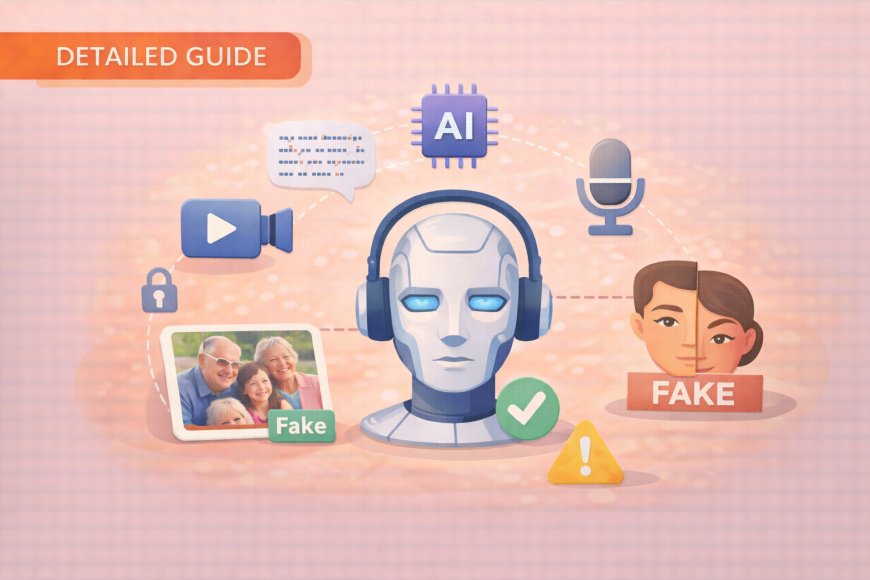
Scammers have always been clever, but artificial intelligence has handed them tools that would have seemed like science fiction just five years ago. This guide will walk you through some of the things those tools can do, what their weaknesses are, and how to use your own judgment and life experience to protect yourself and your family. Knowledge is the most effective defence available, and by the end of this guide, you will know more about spotting AI trickery than most people half your age.
(A quick guide with the key points from this resource can also be downloaded as a PDF so you can read it anytime, even if you are offline. Click here to download your copy.)
SECTION 1: Understanding the AI Threat
Before we look at specific scam tactics, it helps to understand what AI can and cannot do, because its limitations are just as important as its capabilities. Think of AI as a very sophisticated copy machine; it can reproduce things with impressive accuracy, but it doesn't truly understand what it's creating. That gap between imitation and understanding is exactly where you will find the cracks that give scammers away.
Artificial Intelligence (AI) is a computer technology that has advanced incredibly quickly in the past few years. It acts like a very talented artist or writer who can perfectly copy anyone’s style, but scammers use this skill for dishonest purposes.

AI-generated content is incredibly realistic and can be used to create:
-
Fake Photos that look completely real (like the infamous fake image of the Pope in a puffed jacket).
-
Fake Videos (called "deepfakes") of people saying things they never said.
-
Fake Voice Recordings that sound exactly like someone you know. Scammers need only a two-minute recording from social media or a voicemail to clone a voice.
-
Fake Text Messages and Emails that perfectly match someone’s writing style.
-
Entire Fake Social Media Profiles with realistic photos and believable life stories.
The good news is that even the smartest AI makes mistakes that you can learn to spot.

SECTION 2: How to Spot Fake AI Images
A photograph used to be considered solid proof that something happened, but that assumption no longer holds. AI-generated images look very realistic, so much so that "seeing is believing" no longer holds true.
However, AI-generated images have consistent weak spots; once you train your eye to look for them, spotting fakes becomes almost second nature. The checklist below targets the specific areas where AI image tools consistently struggle, turning you from a passive viewer into an active, skeptical observer.
Research shows people can identify fake AI images about 70% of the time when they know what to look for. Your goal is to become a digital detective.
Rule of Thumb: Always look at the background first, not the person, as AI gets lazy with the background details.
Red Flags to Watch For (The AI Image Detective Checklist)
|
Red Flag |
Description & Details |
How to Check |
|
1. Background Issues |
AI often focuses only on the main subject. |
Watch for blurry backgrounds that don't make sense, objects that look strange or out of place (e.g., a street lamp growing out of a head), repeating patterns that look unnatural (like identical leaves on a tree), or backgrounds that are inconsistent with the photo's supposed location. |
|
2. Hands and Fingers |
This is the #1 giveaway; hands are AI's "kryptonite". |
Practice counting the fingers. Look for extra fingers (6 or 7), missing fingers, oddly shaped hands, fingers that bend in impossible ways, strangely positioned rings or jewelry, or hands that are completely different sizes. |
|
3. Eyes and Reflections |
Real eyes tell a consistent story about the environment. |
Check if both eyes are the same size and if the pupils are the same size. Most importantly, verify the reflections in both eyes. If one reflection shows a beach and the other shows a living room, it’s wrong. |
|
4. Lighting Inconsistencies |
Light must affect everything in the photo the same way. |
Look for shadows pointing in different directions. Check if the lighting on the person matches the lighting in the background. Notice shiny surfaces (like glasses or jewelry) that don't reflect light consistently. |
|
5. "Too Perfect" Details |
Real life has imperfections; AI often tries too hard. |
Notice skin that looks unnaturally smooth or plastic-like. Watch for hair that is too perfect or looks painted on. Look for teeth that are too uniform and white, like a toothpaste commercial, or fabrics that lack natural wrinkles. |
|
6. Impossible Scenarios |
Trust your common sense and life experience. |
Ask: Would this person really be doing this?. Does the setting make sense?. Would a normally private celebrity suddenly promote cryptocurrency?. Use your wisdom to check if the behaviour is typical for the person or setting. |

SECTION 3: Identifying Fake Videos (Deepfakes)
Video feels even more convincing than a photograph, which is precisely why scammers invest in it. The reassuring truth is that creating a believable deepfake is technically demanding, and the more a face moves and speaks, the more opportunities the technology has to slip up. Watching for the specific physical inconsistencies listed below will help you evaluate any suspicious video with a calm, practiced eye rather than an anxious one.
Deepfake technology can make anyone appear to say or do anything in a video. While they are highly convincing, they still have flaws.
Warning Signs for Videos
- Watch the Mouth and Lips:
- Look for slight delays between the words and the mouth movement.
- Notice if the mouth movements are too mechanical or don't fully close for sounds like 'P,' 'B,' or 'M'.
- Check if the audio and video seem out of syn

2. Observe Facial Expressions:
- Notice if the face looks too smooth or slightly blurred around the edges, especially during movement.
- Check if expressions seem unnatural or if wrinkles and facial lines stay inconsistent when expressions change.
- Ask if the emotional tone of the face matches what is being said.
3. Check Eye Movements and Blinking:
- This is a reliable tell. Notice if the person blinks too much, too little, or not at all.
- Watch for blinking patterns that are too mechanical or regular, like a robot.
- Check if the eyes track properly or seem to look in different directions.

4. Notice Head and Body Movement:
- Look for body movements that appear stiff or robotic.
- Check if head movements are synchronized with the speech.
- Real humans are never perfectly still; look for small head tilts or subtle chest movement (breathing).
5. Listen to the Audio Quality:
-
Check if the voice quality matches the video quality (e.g., studio-quality audio with low-quality video is suspicious).
-
Listen for strange background noises that don't match the setting.
6. Check for Context Clues:
- Notice if the person is saying something completely out of character or opposite to their known positions.
- Check if the clothing is consistent with their usual style.
SECTION 4: Detecting Fake Voice Recordings (Voice Cloning)
Voice cloning is particularly dangerous because it can sound exactly like someone you know (like a grandchild) asking for help or money. Scammers only need a brief voice sample to clone anyone’s voice.
Of all AI scam tools, voice cloning tends to cause the most distress, because hearing a familiar voice triggers deep, instinctive trust. The single most important thing you can do is set up a family code word before any emergency arises; that one proactive step can neutralize even the most convincing clone. The warning signs below will also help you recognize the subtle ways that cloned voices betray themselves during a call.
Family Defence Strategy: Create a Code Word
The most critical defence is a pre-agreed-upon security measure:
-
Choose a secret word or phrase (like your first pet's name, a silly family nickname, or the address where your children grew up) that only immediate family members would know.
-
Agree to use this code word if someone calls claiming to be a family member in distress.
-
If a potential scammer calls, simply say: "Before we go any further, what's our family code word?". A real family member will know the word; a scammer will make excuses.

Audio and Behavioural Warning Signs
|
Type of Red Flag |
What to Listen For |
|
Audio Technical Issues |
Unnatural pauses: Unusually long breaks while speaking, as if the system is processing. Robotic speech patterns: Too-perfect pronunciation or lack of natural variations and slurring. Overly clear audio: Phone calls that sound studio-quality when they should sound like normal phone calls. Missing breathing sounds. |
|
Emotional Inconsistencies |
The emotional tone doesn't match the situation (e.g., claiming to be terrified but sounding calm). Fake crying or emotional switches that happen too quickly. Too coherent for a crisis—real people in an emergency usually speak fast, interrupt themselves, and don't use perfect sentences. |
|
Behavioural Red Flags |
Urgency without details: Claims of emergency but can't provide specific details. Avoiding personal questions: Can't answer questions about recent family events or shared memories. Pressure for secrecy: Asking you not to tell other family members ("Don't tell Mom and Dad"). Strange payment requests: Asking for gift cards, wire transfers, or cryptocurrency. |

Always Verify Using the "Callback Method"
If you receive a suspicious call, you must trust your instincts—if something feels off, it probably is.
-
Hang up immediately.
-
Call the person back on a number you know is theirs (like their cell phone, not the number that just called you).
-
Call another family member (like their parents) to ask if they have heard from the person in distress.
-
Contact local authorities if the person claims to be in jail or legal trouble.
SECTION 5: Common AI Scam Scenarios
Scammers are targeting seniors because they have resources and strong family connections. Recognizing their playbook is your first line of defence.
Scammers follow scripts, and those scripts are surprisingly predictable once you've seen them. Each scenario below represents a documented pattern that has already cost real people real money; recognizing the structure of a scam is often enough to stop it cold. Your decades of experience reading people and situations is a genuine asset here, so trust what feels wrong.
|
Scam Scenario |
What It Is / Red Flags |
Defense Strategy |
|
1. "Grandparent Scam" 2.0 |
Fake emergency calls using your grandchild’s cloned voice. Red flags: Extreme urgency, secrecy requests ("Don't tell Mom and Dad"), and demands for gift cards or wire transfers. |
Hang up and call your grandchild directly on their known number. Use your family code word. |
|
2. Fake Authority Figures |
Scammers impersonating police, the CRA (Canada Revenue Agency), or bank officials. Red flags: Immediate payment demands, threats of arrest. |
Real authorities never demand instant payment over the phone. Hang up and call the organization back using a number found on their official website or on your statements. |
|
3. Celebrity Investment Scams |
Deepfake videos of celebrities (like major investors) promoting fake "guaranteed returns". Red flags: Guaranteed returns, pressure to invest quickly, or "limited time offers". |
If it sounds too good to be true, it is. Consult a financial advisor and research the company independently. |
|
4. Romance Scams |
AI-generated dating profiles with perfect fake photos and backstories. Red flags: Quick "love" declarations, refusal to video chat, or needs money for a sudden emergency. |
Always insist on a spontaneous video call before meeting. AI cannot yet handle real-time, unexpected interactions. |
|
5. Tech Support Scams |
Unsolicited calls claiming your computer has a virus or problem. AI voices sound professional and legitimate. Red flags: Unsolicited calls, remote access requests. |
Legitimate companies (like Microsoft or Apple) don't call you about computer problems. Hang up immediately. |
|
6. Medical/Health Scams |
Fake doctor videos promoting miracle cures or supplements. Red flags: "Miracle" claims, pressure to buy immediately. |
Always consult your real doctor first before trying any new treatments. |

SECTION 6: Your Defence Strategy: STOP-THINK-VERIFY
Every scam, regardless of how sophisticated its technology, depends on one thing: getting you to act before you think. This three-step framework is designed to interrupt that momentum and return control to you. Practiced regularly, STOP-THINK-VERIFY becomes a reflex, not a checklist, and a calm pause of even thirty seconds can be the difference between safety and a costly mistake.
Scammers create urgency to prevent you from thinking clearly. This three-step method forces you to slow down and use your critical thinking.
1. STOP (Take a Pause)
Do not react immediately to shocking, urgent, or emotional content.
-
Take a deep breath before clicking links, making calls, or sending money.
-
It is okay to interrupt the caller and say: "I need to think about this," or "I'll call you back".
-
Give yourself permission to wait. Remember: Scammers succeed when people react quickly.

2. THINK (Analyze the Situation)
Engage your common sense and wisdom.
-
Ask yourself: "Does this seem normal for this person/organization?"
-
Consider: "Why would this person contact me this way instead of their usual method?"
-
Question: "Is this too good to be true, or does it sound too scary to be real?"
-
Reflect: "Am I being asked to do something I wouldn't normally do (like buy gift cards)?"
-
Wonder: "Why the rush? Why can't this wait until I can verify it?"
3. VERIFY (Double-Check Everything)
Always independently confirm the situation.
-
For family emergencies: Call the person back immediately on their known phone number.
-
For official communications (bank, CRA): Contact the organization directly using the official phone numbers from their website or your statements.
-
For shocking news: Check multiple trusted news sources.
-
For health claims: Speak with your doctor or pharmacist.
The "24-Hour Rule"
For any significant financial decision or urgent request, wait 24 hours before taking action. Sleep on it and use this time to verify and research. A real opportunity or emergency will still be valid after 24 hours.
SECTION 7: Essential Safety Rules and Resources
Good digital habits don't require technical expertise; they require consistency. The rules and tools in this section cover the practical day-to-day steps that significantly reduce your exposure to scams, from how you handle unexpected phone calls to how you verify a suspicious photo. Bookmark the verification resources listed here now, before you need them, so they are ready when the moment comes.
Personal Information and Money Rules
-
Never give out your Social Insurance Number, banking details, or passwords to unexpected callers. Real organizations you do business with already have this information.
-
Don't send money to people you've only met online, even if they claim to be family.
-
Be suspicious of unusual payment methods, such as gift cards, cryptocurrency, or wire transfers.
Link and Attachment Safety
-
Do not click links in suspicious emails or text messages.
-
Instead of clicking a link, type website addresses directly into your browser.
-
Do not download attachments from unknown senders.
Digital Security Habits
-
Use strong, unique passwords for each account (consider using a password manager).
-
Enable two-factor authentication where available.
-
Keep your devices and software updated with security patches and automatic updates.
-
Use reputable antivirus software (like Norton, McAfee, or Bitdefender).
-
Keep your Windows Defender enabled on Windows computers.
Helpful Verification Tools

-
Reverse Image Search (Google Images): If you are suspicious of a photo, go to images.google.ca, click the camera icon, and upload the photo. This tool shows you where else the image appears online. If the same photo appears with different names or stories, it is likely fake.
-
Fact-Checking Websites: Use established sites like Snopes.com or FactCheck.org to investigate rumours and misinformation.
Official Website Verification: Always bookmark important government or company websites and go directly to them; do not use links or phone numbers provided in suspicious messages.
.
Return to the CyberSmarts for Seniors Introduction:
CyberSmarts for Seniors: Practical Lessons to Build Digital Confidence and Safety
.
.
.

This resource is part of the CyberSmarts for Seniors Project, funded in part by the Government of Canada’s
New Horizons for Seniors Program and ELNOS, and delivered in Elliot Lake by Raknas Inc. and Golden Voices, the seniors-focused division of the DiversityCanada Foundation.
.
Download PDF
How to download a quick guide with the key points of this article as a PDF:
—Click the File Name below (in blue).
— If your device is set up to download automatically, the file you just clicked will be saved where your downloaded items can be found (usually in your Downloads folder or Desktop).
—If your device is not set up to download automatically, a dialogue box should pop up.
—Click Save.
—According to your device settings, the file may now be saved where your downloaded items can be found (usually in your Downloads folder or Desktop).
—Alternatively, your device may show you a window, and you will have the chance to choose a location where you want to save the file. Choose a place that's easy to find, like Downloads, Documents, or Desktop.
—The PDF will be downloaded to your device.
—You can now open it anytime in the future, even without an Internet connection.