CyberSmart for Seniors: Detailed Guide to Recognizing and Using Government Services Online Safely
 Admin
Admin 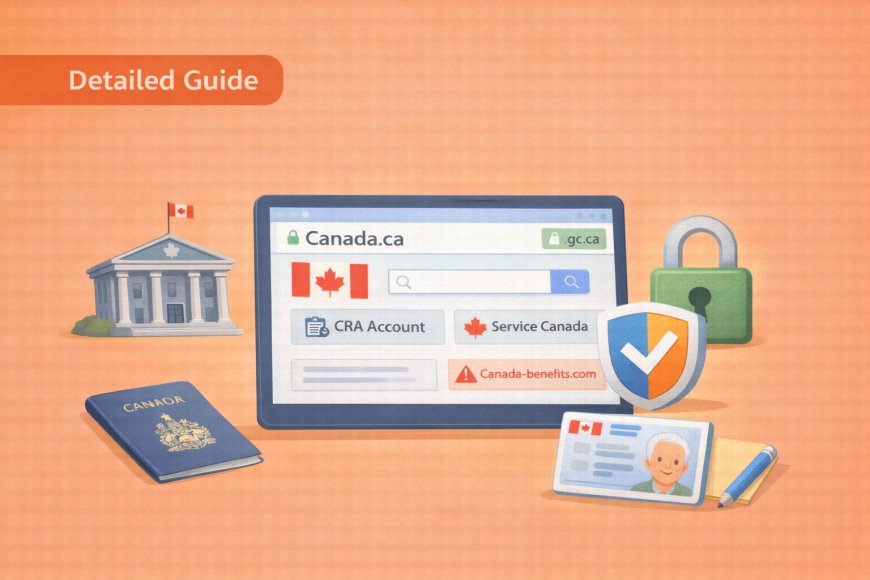
2026-03-24 6:30:00Navigating government services online can feel overwhelming at first, but it's a skill well worth building — and you're more capable than you might think. Let us explore the essentials: how to find and use legitimate government websites, and how to spot the scams that try to take advantage of people just like you. Take it one section at a time, and by the end, you'll have real, practical tools to protect yourself and manage your benefits with confidence.
(A quick guide with the key points from this resource can also be downloaded as a PDF so you can read it anytime, even if you are offline. Click here to download your copy.)
Part 1: Why Government Online Services Matter
The Benefits of Online Government Services
Moving government errands online isn't just for younger generations — it can make a genuine difference in your daily life, especially if getting around is difficult or time is short. Once you know where to go and what to do, many tasks that once required a trip across town can be handled from your kitchen table or wherever you settle down with your devices. Here's a quick look at what becomes possible when you're comfortable using government services online.

Save Time and Travel:
-
No more waiting in long lineups at Service Canada or CRA offices
-
Check your benefits, tax information, and application status from home
-
Renew documents without multiple trips across town
-
Access services 24/7, even when offices are closed
During Emergencies:
-
Services remained available during COVID-19 when offices were closed
-
Apply for emergency benefits quickly when needed
-
Get important information without leaving home
-
Contact services even during severe weather
Why Criminals Target Government Services
Important Reality: Scammers specifically target seniors because:
-
They assume seniors have savings and pension income
-
They think seniors are less familiar with technology
-
Government services involve money, taxes, and benefits, things scammers want to steal
-
Seniors often trust authority figures and are polite to callers
Part 2: Understanding Official Government Websites
How to Recognise Real Government Websites
One of the most useful skills you can develop is simply knowing what a real government website looks like — because once you know, fake ones become much easier to spot. Canadian government sites follow consistent, predictable patterns that scam sites can't perfectly copy. The checkpoints below take only seconds to run through, and they can save you from a great deal of trouble.

The Golden Rules:
-
Real Canadian government websites ALWAYS end in .gc.ca or .ca
-
Never .com, .net, .org, or anything else
-
When in doubt, type canada.ca and navigate from there
Examples of Real vs. Fake Websites:
REAL Government Websites:
-
canada.ca (main government portal)
-
cra-arc.gc.ca (Canada Revenue Agency)
-
servicecanada.gc.ca (Service Canada)
-
ontario.ca (Ontario government)
-
alberta.ca (Alberta government)
FAKE Websites to Avoid:
-
canada-revenue.com
-
service-canada.net
-
cra-benefits.org
-
government-canada.com
Visual Clues of Legitimate Government Sites
Beyond the web address itself, real government websites have a look and feel that reflects the care and resources of an official institution. You don't need to be a tech expert to notice these signals — most of them are things you can see at a glance. Once you know what to look for, your eye will start catching them naturally.
Professional Design:
-
Clean, organised layout
-
Consistent colours (usually red and white for federal sites)
-
Clear navigation menus
-
Proper spelling and grammar
-
Official government logos

Security Features:
-
Padlock icon in the address bar
-
"https://" at the beginning of the web address
-
Professional contact information clearly displayed
-
Multiple language options (English and French)
Red Flags of Fake Government Sites
Just as legitimate sites have reassuring features, fraudulent ones tend to share telltale warning signs — and they're often surprisingly obvious once you know what to look for. Scammers work quickly and cut corners, which means their sites frequently give themselves away. If anything on a government-looking website makes you uneasy, trust that instinct and use the checklist below to investigate further.
Warning Signs:
-
Poor spelling or grammatical mistakes
-
Urgent, threatening language ("Act now or face penalties!")
-
Requests for immediate payment
-
Asking for passwords or personal information via forms
-
Unprofessional design or layout
-
No clear contact information
-
Pop-ups or excessive advertising

Part 3: Recognising Government Service Scams
Email Scams - The Most Common Threat
Email is the most common way scammers try to impersonate government agencies, so it's worth taking a moment to understand exactly how these messages are designed — and why they can be so convincing. The scammer's goal is always to create a sense of urgency that pushes you to act before you think. Learning to pause and compare what you're seeing against the real thing is all it takes to stay safe.
What Fake Government Emails Look Like:
-
Generic greetings: "Dear Customer" instead of your actual name
-
Urgent threats: "Your account will be closed in 24 hours"
-
Immediate action required: "Click here now to avoid penalties"
-
Suspicious links: URLs that don't end in .gc.ca
-
Requests for information: Asking for passwords, SIN, or banking details
What Real Government Emails Look Like:
-
Use your actual name (they have your information on file)
-
Professional, boring tone — no urgent threats or excitement
-
Clear contact information with official phone numbers
-
Never ask for passwords or sensitive information
-
Direct you to official websites to complete tasks

The Golden Rule for Government Emails:
Never click links in emails claiming to be from the government. Instead:
-
Delete the email
-
Open your browser
-
Type canada.ca (or your provincial site) directly
-
Navigate to your account from the official homepage
-
Check for any real notifications there
Phone Scams - Getting More Sophisticated
Phone scams impersonating government agencies have become increasingly convincing, with callers who sound professional, authoritative, and alarmingly well-informed. They're designed to trigger panic — because a frightened person is less likely to stop and question what's happening. Knowing their most common scripts in advance takes away much of their power.
Common Phone Scam Scripts:
-
CRA Tax Scam: "You owe $5,000 in back taxes and will be arrested if you don't pay immediately"
-
Service Canada Scam: "Your Social Insurance Number has been suspended due to suspicious activity"
-
Benefits Scam: "There's a problem with your pension payments, and you must provide your banking information to fix it"
How to Identify Phone Scams:
-
They called you unexpectedly — real government offices usually respond to your inquiries, not initiate contact
-
Demand immediate payment — a real government agency gives you time and options
-
Ask for gift cards, Bitcoin, or wire transfers — the government never requests these payment methods
-
Threaten arrest or legal action — real procedures involve written notices first
-
Pressure you to stay on the line — legitimate calls allow you to call back
The Perfect Response to Suspicious Calls:
Say: "I'll call you back at the official number to verify this."
Then: Hang up immediately
Next: Look up the official government phone number online
Finally: Call back using the official number to check if the issue is real
Text Message and Website Scams
Text messages and copycat websites represent newer tactics in the scammer's playbook, but they follow the same basic logic as phone and email scams: create urgency, mimic authority, and prompt quick action. The protection strategies are equally straightforward, and you don't need any special technical knowledge to apply them. A few simple habits, consistently practised, will keep you well protected.

Fake Text Messages:
-
GST refund notifications asking you to click links
-
Benefit payment updates requesting personal information
-
Account suspension warnings with urgent deadlines
Fake Government Websites:
-
Similar-looking URLs like canada-benefits.com instead of canada.ca
-
Professional appearance, but asking for sensitive information
-
Immediate payment requests for services that are normally free
-
Pop-up warnings about account problems
Protection Strategy:
-
Never click links in text messages claiming to be from the government
-
Always type official URLs directly into your browser
-
Verify any unexpected messages by calling official numbers
-
Remember: legitimate government texts are rare and usually just reminders
Part 4: When Things Go Wrong - Account Recovery
Even careful, experienced users occasionally get locked out of accounts or run into technical problems — it's a normal part of using online services, not a sign that you've done something wrong. The important thing is knowing the right steps to take so that a minor inconvenience doesn't become a bigger problem. This section walks you through the most common situations and exactly how to handle them safely.
Forgot Your Password - No Problem!
Forgetting a password is probably the single most common frustration people have with online accounts, and the good news is that every legitimate government website has a straightforward, safe way to recover access. The process is designed to be manageable, and it never requires you to share sensitive information like your SIN or banking details. Follow the steps below, and you'll be back in your account without any fuss.
Step-by-Step Password Recovery:
-
Go to the official government website (never click links in emails)
-
Click "Forgot Password" or "Reset Password"
-
Enter your username or email address
-
Check your email for reset instructions
-
Click the official reset link (check that it goes to the real government site)
-
Create a new password following their requirements
-
Write down the new password in your secure notebook

What Legitimate Password Recovery Looks Like:
-
Never asks for your SIN or banking information
-
Sends you to the official website to reset
-
Doesn't rush you or threaten consequences
-
Provides clear, professional instructions
-
Gives you time to complete the process
Account Locked or Suspended
Receiving a message that your account has been locked can feel alarming, but it's worth knowing that genuine account locks are a routine security measure — not a crisis. The critical skill here is distinguishing between a real notification and a scammer using that fear to manipulate you into acting rashly. The difference between the two is usually clear once you know what to look for.
If Your Account is Actually Locked:
-
Don't panic; this happens for security reasons
-
Go directly to the official website; never call numbers from emails or texts
-
Look for account recovery options on the sign-in page
-
Call the official support number listed on the government website
-
Visit a government office in person with proper ID if needed
Red Flags of Fake "Account Locked" Messages:
-
Demands immediate payment to unlock
-
Asks for passwords or banking information
-
Threatens legal action without proper documentation
-
Provides phone numbers not found on official government sites
-
Creates artificial urgency with countdown timers
When to Get Help
There's no shame in picking up the phone or walking into an office when an online situation feels beyond what you want to handle alone — that's exactly what official support is there for. Government agencies have dedicated staff who help people with account issues every day, and they're far more patient and helpful than scammers would have you believe. Here's how to reach the right people and what to have ready when you do.

Call Official Government Numbers
When:
-
You can't recover your account through normal methods
-
You think someone may have accessed your account
-
You're unsure if a communication is legitimate
-
You need help navigating government websites
-
You want to verify information you received
Where to Find Official Numbers:
-
Canada Revenue Agency: 1-800-959-8281
-
Service Canada: 1-800-206-7218
-
Your provincial government: Check the official .ca website
-
Local government offices: Listed on official websites
What to Bring to In-Person Help:
-
Two pieces of government-issued ID
-
Recent tax documents or benefit statements
-
Any suspicious emails or letters you received
-
Questions written down so you don't forget
Part 5: Staying Safe - Security Best Practices
Good digital security doesn't require a technical background — it mostly comes down to a handful of consistent habits that quickly become second nature. The practices in this section are straightforward, proven, and specifically chosen because they work well for people who didn't grow up with computers. Small steps taken now can make your accounts significantly harder for anyone to compromise.

Password Security Made Simple
The old advice about passwords — random letters, symbols, and numbers you can barely remember — has actually been replaced by something far more sensible and easier to manage.
A strong password doesn't have to be impossible to recall; it just needs to be long enough that it's hard to guess. The approach below is both more secure and more senior-friendly than anything you may have tried before.
The Passphrase Method (Recommended for Seniors): Instead of complex symbols, use a memorable phrase with numbers:
Poor Password: "Password123"
Strong Passphrase: "MyDog-Loves-Walking-2026"
Even Better: "Grandkids-Visit-Every-Sunday-2026"
Why Passphrases Work Better:
-
Easier to remember than random characters
-
Longer length provides more security
-
Personal meaning makes them memorable
-
Can include important dates or names
Safe Password Storage:
-
Write passwords in a notebook kept in a safe place at home
-
Don't store passwords on computers or phones
-
Keep a backup copy in a separate secure location
-
Update written records when you change passwords
Two-Factor Authentication (2FA) - Your Extra Protection
Two-factor authentication sounds technical, but the idea behind it is simple: even if someone steals your password, they still can't get into your account without access to your phone. It's one of the most effective security tools available, and most government websites now offer or encourage it. Once you've done it a few times, the extra step feels like no effort at all for the protection it provides.

What It Is: Two-factor authentication adds a second step to logging in. After entering your password, you receive a code on your phone that you must enter to complete the login.
How It Works:
-
Enter your username and password as normal
-
The system sends a 6-digit code to your phone via text message
-
Enter the code within a few minutes
-
You're logged in with extra security
Why It's Worth It:
-
Protects against stolen passwords - even if someone has your password, they can't access your account without your phone
-
Government accounts strongly recommend it
-
Only adds 30 seconds to login process
-
Prevents most hacking attempts
Regular Account Monitoring
One of the best ways to catch a problem early — before it becomes serious — is simply to check your accounts briefly once a month, the same way you might glance at a bank statement. You're not looking for anything complicated; you're just making sure everything looks the way you left it. The checklist below tells you exactly what to review and what to do if something seems off.
Monthly Account Checks:
-
Log into your government accounts once per month
-
Review recent activity and transactions
-
Check your contact information is up to date
-
Look for any unfamiliar changes or access
What to Look For:
-
Unknown login attempts from different locations
-
Changes to your personal information you didn't make
-
New applications or claims you didn't submit
-
Different direct deposit information than what you set up
If Something Looks Wrong:
-
Change your password immediately
-
Call the official government number for that service
-
Report suspicious activity to the Canadian Anti-Fraud Centre
-
Update your security settings, including phone numbers
Part 6: Emergency Contacts and Resources
Official Government Contact Numbers
Federal Services:
-
Canada Revenue Agency: 1-800-959-8281
-
Service Canada: 1-800-206-7218
-
Old Age Security: 1-800-277-9914
-
Employment Insurance: 1-800-206-7218
Provincial Services (Examples):
-
Service Ontario: 1-800-267-8097
-
Service BC: 1-800-663-7867
-
Service Alberta: 1-877-427-4088
-
Check your province's official website for complete contact information

Scam Reporting and Help
Canadian Anti-Fraud Centre:
-
Phone: 1-888-495-8501
-
Website: antifraudcentre-centreantifraude.ca
-
Report: Suspicious emails, phone calls, or websites
-
Available: Monday to Friday, 9 AM to 5 PM ET
What to Report:
-
Phone calls demanding immediate payment
-
Emails asking for personal information
-
Fake government websites
-
Text messages with suspicious links
-
Anyone impersonating government employees
Local Resources for Help
Free Computer Help:
-
Public libraries: Many offer one-on-one computer assistance
-
Community centres: Often have volunteer tech support
-
Senior centres: May provide technology workshops
-
Local colleges: Sometimes offer community education programs
Family Support:
-
Ask patient relatives to help you set up accounts
-
Have them write down steps for future reference
-
Practice together during family visits
-
Don't feel embarrassed about asking questions multiple times
Part 7: Building Confidence and Good Habits
Your First Steps
Start Small:
-
Choose one government service you use most often
-
Bookmark the official website in your browser
-
Practice logging in when you have time and aren't rushed
-
Explore the account to see what information is available
Build Gradually:
-
Set up accounts one at a time over several weeks
-
Practice security habits with each new account
-
Keep written records of your usernames and passwords
-
Ask for help when needed rather than struggling alone

Monthly Routine for Safety
First Monday of Each Month:
-
Check all your government accounts for any changes
-
Review recent transactions and communications
-
Update any changed contact information
-
Verify your direct deposit settings are correct
Create Reminders:
-
Mark your calendar for monthly account reviews
-
Set phone alarms for important deadlines
-
Keep official phone numbers easily accessible
-
Update emergency contacts with your account information
When You Need Help
Don't Hesitate to Ask:
-
Government offices are there to help; staff want you to succeed
-
Family members usually want to help with technology
-
Community resources are often free and patient
-
Other seniors may have faced similar challenges
Prepare for Help Sessions:
-
Write down your questions beforehand
-
Bring necessary documents and identification
-
Take notes during explanations
-
Don't rush - take time to understand
Remember: The criminals are counting on you being afraid of technology, but now you know more than they think you do. You know how to verify what's real, how to recover accounts safely, and most importantly, you know it's okay to hang up, slow down, and get help. Government online services can make your life much easier when used safely!
.
Return to the CyberSmarts for Seniors Introduction:
CyberSmarts for Seniors: Practical Lessons to Build Digital Confidence and Safety
.
.
This resource is part of the CyberSmarts for Seniors Project, funded in part by the Government of Canada’s
New Horizons for Seniors Program and ELNOS, and delivered in Elliot Lake by Raknas Inc. and Golden Voices, the seniors-focused division of the DiversityCanada Foundation.
.
.
Download PDF
How to download a quick guide with the key points of this article as a PDF:
—Click the File Name below (in blue).
— If your device is set up to download automatically, the file you just clicked will be saved where your downloaded items can be found (usually in your Downloads folder or Desktop).
—If your device is not set up to download automatically, a dialogue box should pop up.
—Click Save.
—According to your device settings, the file may now be saved where your downloaded items can be found (usually in your Downloads folder or Desktop).
—Alternatively, your device may show you a window, and you will have the chance to choose a location where you want to save the file. Choose a place that's easy to find, like Downloads, Documents, or Desktop.
—The PDF will be downloaded to your device.
—You can now open it anytime in the future, even without an Internet connection.