CyberSmarts for Seniors: Detailed Guide to the Golden Voices Website and Ontario Assistance Programs
 Admin
Admin 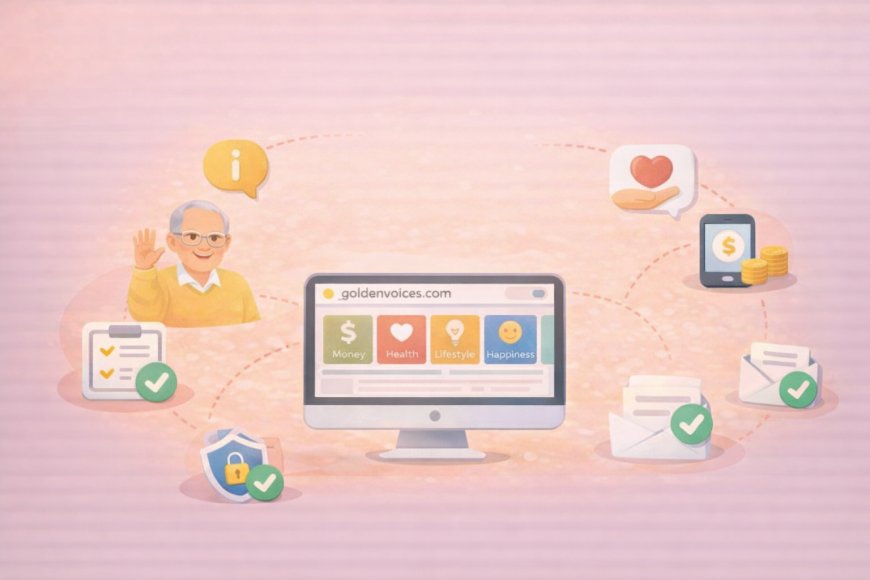
This Golden Voices website was built specifically with seniors in mind. It aims to bring together health guidance, financial programs, and lifestyle inspiration in one place. We have explored Ontario and the federal government assistance programs for seniors that many people don't even realize exist. Many benefits for seniors go unclaimed simply because residents don't know about them or how to access them.
This guide walks you through how to find your way around this website and how to access the financial, health, and utility programs you may already be entitled to.
(A quick guide with the key points from this resource can also be downloaded as a PDF so you can read it anytime, even if you are offline. Click here to download your copy.)
SECTION 1: Navigating the Golden Voices Website
GoldenVoices.com is organized to be straightforward, and this section walks you through each step at a comfortable pace, from typing the address to finding the article you need. Within a few minutes of practice, moving between sections will feel natural and familiar.
The Golden Voices homepage is your starting point for accessing articles and resources.

Step 1: Accessing the Website
-
Open your web browser (Chrome, Firefox, Safari, or Edge).
-
Type goldenvoices.com in the address bar at the top.
-
Press Enter on your keyboard.
-
Wait for the website to load completely.
Step 2: Understanding the Main Tabs

Look at the top of the page for the tabs, which are your main categories. Each tab contains many articles and resources about that topic. Here are some of them:
|
Tab Name |
Content Description |
|
|
MONEY |
Government assistance programs, financial benefits for seniors, utility cost savings, and tax credits and rebates. |
|
|
HEALTH |
Tips for staying physically healthy and active, ideas for exercises and maintaining strength and balance, advice for mental wellness and brain health, and resources for support and care as you age. |
|
|
LIFESTYLE |
Inspiring quotes about happiness, slowing down, and finding joy in retirement; Interviews with Elliot Lake seniors about living well in retirement; ideas for hobbies, meaningful activities, and connecting with others; and guidance on living independently and embracing new experiences. |
|
|
HAPPINESS |
Positive Thinking Quotes, Gratitude and Joy, Inner Peace and Letting Go, Personal Growth and Self-Acceptance, and Relationships and Well-being. |
Step 3: Exploring the Categories and Finding Information
Once you've chosen a tab, the goal is to move through it comfortably rather than feeling overwhelmed by the options. Articles are organized so you can scan titles quickly and click only what's relevant to your situation. The steps below also cover the site's search function, which is a useful shortcut when you have a specific question in mind.

-
Move your mouse over the tab you want to explore.
-
Click once with your left mouse button.
-
Wait for the new page to load.
-
Scroll down to see all available articles and information.
-
Look for article titles that match what you need.
-
Click on the article title to read the full information.
-
Use the search function if available (usually a magnifying glass icon).
-
Take notes of important phone numbers or websites.
Step 4: Navigating the Website
Getting from one part of the website to another is simpler than it might seem at first. Your browser provides built-in navigation tools, and GoldenVoices.com adds its own shortcuts through the logo and top tabs. This section also covers how to find and watch the videos on the homepage, which are worth exploring for their local interviews and practical advice.

-
Click the "Back" button in your browser (usually an arrow pointing left).
-
OR click on another tab at the top to switch categories.
-
OR click the Golden Voices logo to return to the homepage.
-
On the homepage, you can click on the big first picture at the top to watch the video.
-
To watch other videos on the homepage, scroll up and down and click the smaller pictures in the panel to the side of the big picture (on desktop) and below the big picture (on mobile devices).
SECTION 2: Detailed Ontario Assistance Programs for Seniors
The Golden Voices website provides detailed information on various Ontario and Federal programs designed to assist seniors.
Provincial and federal governments have created a range of programs specifically to reduce the financial pressure seniors face on energy costs, home safety, dental care, and internet access. The challenge has often not been the application process itself; it has been knowing these programs exist in the first place. The summaries below give you the key facts for each program, including who qualifies, what you receive, and exactly how to apply.
I. Financial and Utility Assistance
1. Low-income Energy Assistance Program (LEAP) – Emergency Bill Help
Home energy costs are one of the largest and least flexible expenses for seniors on fixed incomes, and several Ontario programs directly address that burden. Some provide immediate bill relief; others upgrade your home so the bills stay lower going forward. The programs below cover a range from emergency help with overdue bills to free appliances and insulation installations.
-
What you get: Up to $650 for electricity bills plus $680 for gas bills. This increases to $780 if you use electric heating.
-
Who Qualifies:
-
Individuals with income up to $38,000 after tax.
-
Couples with income up to $54,000.
-
Applicants must be behind on utility bills.
-
You can apply multiple times per year.
-
How to apply: Call United Way Simcoe Muskoka: 1-855-487-5327.
-
Documents needed: ID, utility bills, income proof, and bank statement.

2. Ontario Electricity Support Program (OESP) – Monthly Bill Credits
-
What you get: A monthly credit on your electricity bill ranging from $35 to $75, depending on your income and household size.
-
Who Qualifies:
-
Income under $38,000: All household sizes qualify.
-
Income $38,001–$54,000: Requires 2 or more people in the household.
-
Income $54,001–$65,000: Requires 3 or more people in the household.
-
Income $65,001–$71,000: Requires 5 or more people in the household.
-
Higher credits are available for medical equipment users.
-
How to apply: Apply Online at the Ontario Energy Board website.

3. Energy Affordability Program – Free Home Upgrades
-
What you get: Free appliances, LED bulbs, showerheads, weatherproofing, and professional installation.
-
Who qualifies for comprehensive support (Appliances, Installation):
-
Income: Under $47,090 for individuals or under $66,595 for couples.
-
OR receiving: Ontario Works, ODSP, Guaranteed Income Supplement, or Allowance for Survivor.
-
OR participated in: LEAP or OESP in the past 12 months.
-
Who qualifies for an energy-saving kit (Bulbs, Showerheads):
-
Income: Under $69,763 for individuals or under $98,659 for couples.
-
Must be: Ontario resident with a utility account in your name.
4. Home Winterproofing Program
-
What you get: Free insulation, draft-proofing, and smart thermostat.
-
Who Qualifies:
-
Must have an Enbridge Gas account in your name.
-
Home must be heated with natural gas.
-
Income: Under $47,090 for individuals or under $66,595 for couples.
-
OR receiving: Ontario Works, ODSP, LEAP, Guaranteed Income Supplement, etc..

5. Rebate Programs (You Pay First)
-
Enbridge Home Efficiency Rebate:
-
What you get: Up to $5,000 back for energy upgrades.
-
Who Qualifies: Must be an Enbridge Gas customer (natural gas heating). Must complete at least 2 recommended upgrades. Any income level qualifies.
-
Canada Greener Homes Loan:
-
What you get: Interest-free loans from $5,000 to $40,000.
-
Who Qualifies: Must be a Canadian citizen, PR, or authorized worker. Must own and live in the home. Requires a pre-retrofit evaluation after April 1, 2020. Must have a good credit history and no active insolvency. Total housing plus debt costs must be less than or equal to 44% of gross income.
6. Ontario Seniors’ Home Safety Tax Credit
-
What you get: A refundable personal income tax credit to help seniors 65 and older make their homes safer and more accessible.
-
Who Qualifies: Must be 65 or older (or turning 65 in the tax year). Homeowners and family members living with a senior can qualify.
-
Eligible Renovations: Wheelchair ramps, stair lifts and elevators, grab bars and bathroom safety supports, walk-in showers and accessible bathtubs, and renovations for a senior’s secondary suite.
-
How to Apply: Pay for eligible renovations and keep all receipts, then claim the expenses on your income tax return.

7. Home and Vehicle Modification Program (HVMP)
-
What you get: Up to $15,000 for home and/or vehicle modifications.
-
Who Qualifies: Permanent resident of Ontario with a substantial disability affecting mobility or daily function. Seniors can apply themselves or have a family member apply. Tenants can apply if modifications are portable.
-
Covered Home Modifications: Ramps, stair lifts, grab bars, wheel-in showers, appliance adaptations, and environmental controls.
-
Covered Vehicle Modifications: Hand controls, lifts, specialized seating, remote garage doors, and roof/floor adjustments.
-
Application: Complete and submit the forms on March of Dimes Canada’s website. For questions, call 1-877-369-4867.
II. Health and Digital Access
Staying healthy and staying connected are two of the most important factors in living independently as you age, and both come with real costs. The programs in this section address those costs directly; one supports pet owners facing unexpected veterinary bills, another covers dental care that provincial health insurance doesn't include, and a third makes home internet significantly more affordable. Each program has specific eligibility requirements, so the summaries below help you quickly identify which ones apply to your situation.
8. Subsidized Veterinary Pet Services for Ontario Seniors
-
Managed by: The Farley Foundation, operated by the Ontario Veterinary Medical Association (OVMA).
-
Who Qualifies: Seniors receiving the Guaranteed Income Supplement (GIS) or CPP Disability benefits.
-
What’s Covered: Non-elective treatments like surgeries, hospitalizations, and diagnostics.
-
What’s Not Covered: Routine exams, vaccinations, food, spays/neuters, and general dental care.
-
How to apply: Seniors must speak to their veterinarian, who will handle the application on their behalf.

9. Ontario Seniors Dental & Denture Benefits (OSDCP)
-
What you get: Free dental care and partial denture coverage for eligible seniors aged 65 or older living in Ontario.
-
Covered Services: Dental check-ups, cleaning, fluoride & polishing, cavity fillings & repairing broken teeth, X-rays & tooth extractions, oral surgery & anesthesia, treatment for infections & gum disease, and partial denture coverage (contact your local Public Health Unit for details).
-
How to Apply: Apply online or by mail. Provide your date of birth, Ontario address, and SIN/TTN. If you do not have a SIN or have not filed taxes, you can apply with a guarantor. Once approved, you will receive a dental card for free services.

10. Connecting Families Initiative (CFI) – Discounted Internet
-
Program Overview: CFI provides discounted Internet services and low-cost digital devices to eligible individuals and seniors. It is managed by Innovation, Science and Economic Development Canada (ISED).
-
Eligibility: You must receive an invitation letter from the Government of Canada or Service Canada.
-
Seniors' Eligibility (Must meet one):
-
Receive the maximum Guaranteed Income Supplement (GIS).
-
Be single with an income under $4,000 and qualify for Old Age Security (OAS).
-
Be a couple with a combined income under $8,000 and qualify for OAS.
-
-
Discounted Internet Plans:
-
Plan 1 ($10/month + tax): Up to 10 Mbps download, 1 Mbps upload, and 100 GB data.
-
Plan 2 ($20/month + tax): Up to 50 Mbps download, 10 Mbps upload, and 200 GB of data.
-
Your ISP can help you choose the right plan based on your needs.
-

Low-Cost Digital Devices: Eligible participants can buy refurbished devices (laptops, tablets, computers, accessories) at a discounted price through the Computers for Schools Plus (CFS+) program.
Availability depends on your region. You must log in to the Connecting Families Registration Portal using your unique code to order a device.
.
Return to the CyberSmarts for Seniors Introduction:
CyberSmarts for Seniors: Practical Lessons to Build Digital Confidence and Safety
.

This resource is part of the CyberSmarts for Seniors Project, funded in part by the Government of Canada’s
New Horizons for Seniors Program and ELNOS, and delivered in Elliot Lake by Raknas Inc. and Golden Voices, the seniors-focused division of the DiversityCanada Foundation.
.
Download PDF
How to download a quick guide with the key points of this article as a PDF:
—Click the File Name below (in blue).
— If your device is set up to download automatically, the file you just clicked will be saved where your downloaded items can be found (usually in your Downloads folder or Desktop).
—If your device is not set up to download automatically, a dialogue box should pop up.
—Click Save.
—According to your device settings, the file may now be saved where your downloaded items can be found (usually in your Downloads folder or Desktop).
—Alternatively, your device may show you a window, and you will have the chance to choose a location where you want to save the file. Choose a place that's easy to find, like Downloads, Documents, or Desktop.
—The PDF will be downloaded to your device.
—You can now open it anytime in the future, even without an Internet connection.