Digital Scams Seniors Need to Know & Avoid Online
Recognize phishing emails, fraudulent shopping sites, work-from-home scams, and social media risks. Get practical protection strategies for online safety.
 Admin
Admin 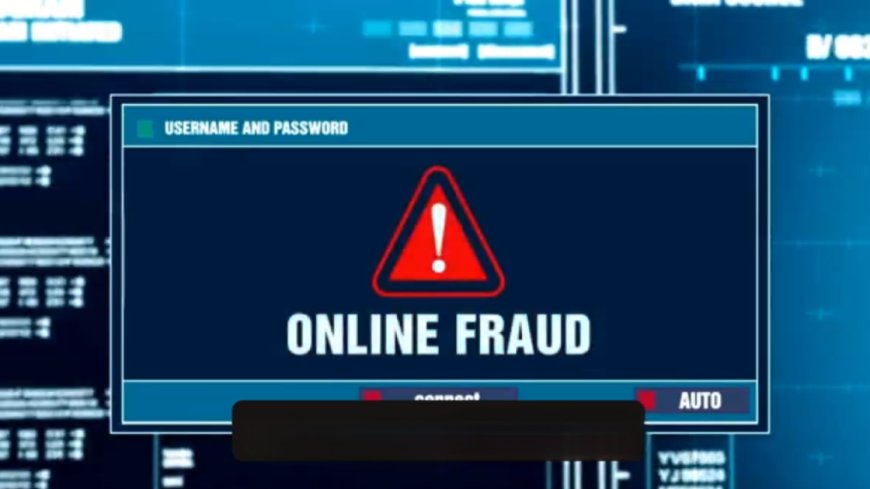
Welcome to CyberSmarts for Seniors. This series is created especially for seniors who want to stay safe, confident, and connected in today's digital world.
In this video, we'll explore online and digital scams, including phishing emails and texts, fake shopping websites, job scams, and social media risks. You'll see practical examples and learn exactly what to watch for.
The internet opens up wonderful opportunities for shopping, staying connected, and managing your life. But scammers have moved online too. The good news is that online scams follow predictable patterns, and once you know what to look for, they're easy to spot.
Let's start with phishing emails and texts. Phishing is when scammers send fake emails or texts pretending to be from legitimate companies. Their goal is to steal your login information, passwords, or personal details.
Here's how it typically works. You receive an email that looks like it's from your bank. The subject line says "Urgent: Suspicious Activity on Your Account" or "Your Account Will Be Closed." The email looks official - it has the bank's logo, the right colours, and professional formatting.
The message says something like "We've detected unusual activity. Click here immediately to secure your account" or "Verify your information within 24 hours or your account will be suspended." When you click the link, it takes you to a fake website that looks exactly like your bank's real website. The address might be slightly different - maybe TD-Bank-Security.com instead of TD.com - but at first glance, it looks legitimate.
However, when you enter your username and password, the scammers capture that information. Now they can access your real account.
So what are the warning signs? Look at the sender's email address carefully. It might say it's from your bank, but the actual email address is something like "security@bankupdate-verify.com" instead of an official bank address.
Look for urgent language and threats. "Act now or lose access." "Confirm within 24 hours." Real banks don't operate this way. Check for poor grammar or spelling mistakes. While scammers are getting better, many phishing emails still have errors.
Hover over links without clicking. On a computer, if you hover your mouse over a link, you can see where it really goes. If the link says "TD.com" but shows something else when you hover, it's fake. Generic greetings are another clue. Real banks usually address you by name. Phishing emails often say "Dear Customer" or "Dear Account Holder."
Here's how to protect yourself. Never click links in unexpected emails, even if they look legitimate. Instead, open a new browser window and type your bank's website address yourself. Or call your bank directly using the number on your bank card.
If you're unsure whether an email is real, contact the company directly through their official website or phone number. Don't use contact information from the suspicious email.
The same rules apply to text messages. Banks and legitimate companies rarely send texts with links asking you to verify information or log in to your account.
Now let's talk about fake online shopping sites. These scams prey on our desire for good deals and the convenience of online shopping.
You see an advertisement on social media or find a website through a search. The site advertises amazing deals - maybe designer shoes for twenty-five dollars, a high-end coat for forty dollars, or electronics at incredibly low prices. The website looks professional. It has customer reviews that seem real, accepts credit cards, and might even have trust badges or security seals. The prices seem too good to pass up.
You order the items and pay. Then either nothing arrives, or you receive cheap knockoffs that look nothing like what was advertised. When you try to return them or contact customer service, the company has disappeared or won't respond.
What are the warning signs to watch for? If the deal seems too good to be true, it probably is. Designer items at ninety per cent off? Be suspicious. Check the website address carefully. Scam sites often use slightly misspelled versions of real brand names.
Instead of "Nike.com" it might be "Nikee.com" or "Nike-outlet.com." Look for contact information. Legitimate businesses have clear contact details - a phone number, physical address, and email. Scam sites often have only a contact form or no information at all.
Read reviews carefully, but remember that fake reviews exist. Look at reviews on independent sites, not just on the shopping site itself. Search for the company name plus "scam" or "reviews" to see what others say. Check how long the website has been around. New websites selling luxury goods at huge discounts are suspicious.
Here are some protection tips. Stick to websites you know and trust. Shop directly from brand websites or established retailers. Use a credit card rather than a debit card for online shopping. Credit cards offer better fraud protection.
If you discover a site after clicking an ad, especially on social media, be extra cautious. Research the company before buying. Save screenshots of product descriptions and your order confirmation. If something goes wrong, you'll have evidence.
Next, let's discuss job and work-from-home scams. These target people are looking to supplement their income or find flexible work opportunities. The scam might advertise "Earn five hundred dollars a week working from home!" or "Mystery shopper positions available - no experience needed!" It sounds perfect - flexible hours, good pay, work from home.
Here's what happens. They contact you, often without you even applying. They're very enthusiastic and make the job sound easy. But then they ask you to pay money upfront for training materials, background checks, or starter kits.
Another version involves them sending you a cheque to deposit. They ask you to keep part of it as your payment and send the rest back for supplies or to another person. The cheque is fake, but by the time your bank discovers this, you've already sent your own real money.
Some job scams involve receiving packages at your home and reshipping them. This makes you an unwitting participant in fraud - the items are usually purchased with stolen credit cards.
What are the warning signs? Legitimate jobs don't require you to pay money upfront. Real employers pay you, not the other way around. Be suspicious of jobs that contact you without you applying first, especially if they're very eager to hire you immediately without an interview.
Promises of unusually high pay for simple work are red flags. If they're offering five hundred dollars a week to stuff envelopes or post on social media, question why they'd pay so much. Vague job descriptions that don't clearly explain what you'll actually be doing are suspicious. Requests to use your own bank account to transfer money or receive payments is a major red flag.
How do you protect yourself? Research the company thoroughly. Look them up online, check for reviews, and see if they have a legitimate business presence. Never pay money for a job opportunity. Real employers don't charge fees. Be wary of jobs found only through social media ads or unsolicited emails. If a job involves handling money or packages in ways that seem unusual, it's likely a scam.
Finally, let's talk about social media risks. Social media is wonderful for staying connected, but it also creates opportunities for scammers. Scammers gather information from your social media profiles.
If you post about your grandchildren by name, mention you're going on holiday, share your birthday, or post about major purchases, scammers can use this information. They might use these details to make scam calls more convincing. "Hi, this is your grandson Michael." - They know the name from your Facebook posts. Or they know you're away on holiday, so they call claiming to be from your security company about a break-in.
Fake friend requests are another risk. Someone creates a fake profile pretending to be someone you know or pretends to be a new friend. Once you accept, they can see your posts, gather information, or start scamming you directly. Quiz scams appear fun and harmless. "What's your superhero name? Use your mother's maiden name plus your street name!" These quizzes are designed to gather security question answers.
What are your protection strategies? Adjust your privacy settings so only friends can see your posts, not the general public. Think before you post. Avoid sharing information like your full birthdate, your location in real-time, or that you're away from home. Be selective about friend requests. If someone you're already friends with sends another request, their account may have been cloned. Contact them directly to check.
Don't participate in quizzes that ask for personal information, especially things that might be security questions - your first pet's name, your mother's maiden name, the street you grew up on. Be cautious about clicking links that friends share, even from people you trust. Their account might have been compromised.
Let me summarize the key protection steps. For emails and texts, never click links in unexpected messages. Go directly to websites by typing the address yourself.
For online shopping, stick to retailers you know. If a deal seems too good to be true, research carefully before buying.
For job opportunities, remember that real jobs don't require upfront payment. Research companies thoroughly. For social media, adjust your privacy settings and think carefully about what you share publicly.
You now know how to recognize phishing emails, fake shopping sites, job scams, and social media risks. You understand that online scams follow patterns, and by staying alert, you can shop and connect online safely.
That's why we created CyberSmarts for Seniors - to help you enjoy the benefits of the internet while protecting yourself from those who misuse it.
In our next video, we'll explore financial scams, including fake investments, cryptocurrency scams, and romance scams. Thank you for watching. Stay safe, stay alert, and remember - if something seems too good to be true, it probably is.
.
.
Check out the Video Series:
Video 1: Introduction to Scam Awareness
Video 2: The Scammer's Playbook
Video 4: Online & Digital Threats
Video 5: Financial & Romance Scams
Video 6: New Technology Threats
Video 7: Your Protection Toolkit
Video 8: What to Do If You're Targeted
Video 9: Resources & Staying Safe
Watch Video 10: Empowerment & Community
.
Return to the Introduction to the Video Series:
Protecting Yourself from Scams: A Complete Guide for Seniors in Canada
.
Return to the CyberSmarts for Seniors Introduction:
CyberSmarts for Seniors: Practical Lessons to Build Digital Confidence and Safety
.
.
.

This resource is part of the CyberSmarts for Seniors Project, funded in part by the Government of Canada’s
New Horizons for Seniors Program and ELNOS, and delivered in Elliot Lake by Raknas Inc. and Golden Voices, the seniors-focused division of the DiversityCanada Foundation.
.
.